
AI Solutions / Voice Noise Reduction

Ailia Voice Filter
Even in the noise, your voice
comes through clearly.

Answering the intercom, calls from the station platform or the street, WEB meetings in your browser, game voice chat. We remove the surrounding noise and the voices of people talking nearby, delivering only the voice you want to send, with two real-time voice noise reduction models: an OSS model and our own. Inference runs entirely on-device, so no audio ever needs to be sent externally.

  • 30-40 ms latency real-time processing
  • Speaker-selective proprietary model
  • Runs in the browser or embedded
  • Fully on-device, audio never leaves

Before you commit,
try it right in your browser

We've published a demo of the same model running entirely inside the browser via ailia.js. Just connect a microphone and speak, or load an audio file, to compare the sound before and after processing. You can switch between ailia Voice Filter and DeepFilterNet3 on the same screen, so you can see on the spot which one fits your environment.

Your audio is never sent anywhere. Inference runs entirely in the browser (WebAssembly). You can also try adding noise to test with, playing back and saving the before/after audio as WAV, and "speaker extraction" — registering your own voice to remove everyone else's.

Open the live demo
DEMO
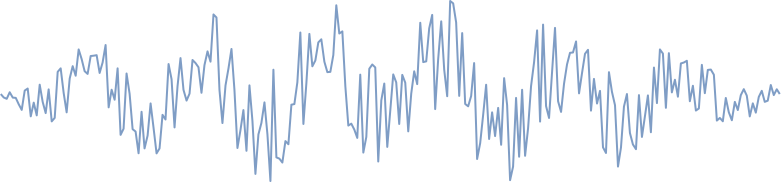
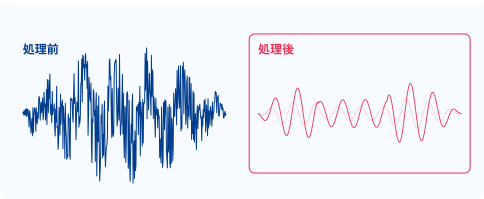
Waveform before and after processing

Shows the waveform before (left) and after (right) processing, side by side

  • RuntimeBrowser (WebAssembly)
  • InputMicrophone / audio file
  • ModelSwitch between ailia Voice Filter / DeepFilterNet3
  • Audio sentNone (fully on-device)

Four places where "I can't hear you" happens

For any device or app whose microphone sits outdoors or in a noisy space, intelligibility is the experience.

01

Intercoms & home equipment

Strip out outdoor noise, so the visitor's voice
comes through clearly indoors

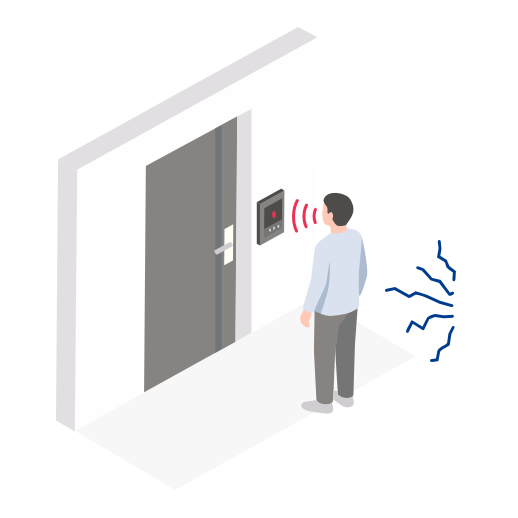
An entrance unit's microphone sits outdoors, picking up wind, passing traffic, rain, and nearby construction noise as-is. More mishearing means a worse experience answering the door, and for deliveries or caregiving, a misheard word can turn into a real mistake. By removing noise inside the entrance unit or the indoor unit and delivering only the visitor's voice indoors, you can improve intelligibility without changing the microphone or its placement.

  • Better call quality for apartment and house intercoms
  • Nurse call systems, facility reception terminals, doorbell cameras
  • Noise removal as a pre-processing step for speech recognition or recording

Why it works here The CPU available on an intercom's entrance or indoor unit is limited. At about 2.3M parameters, 48 kHz, and 40 ms latency, this model runs in real time even on embedded-class processors. Since nothing goes through the cloud, it isn't affected by network conditions, and conversations inside the home never leave the premises.
02

Phone calls (mobile & call centers)

Even calling from a station platform or the street,
what arrives is the voice of a quiet room

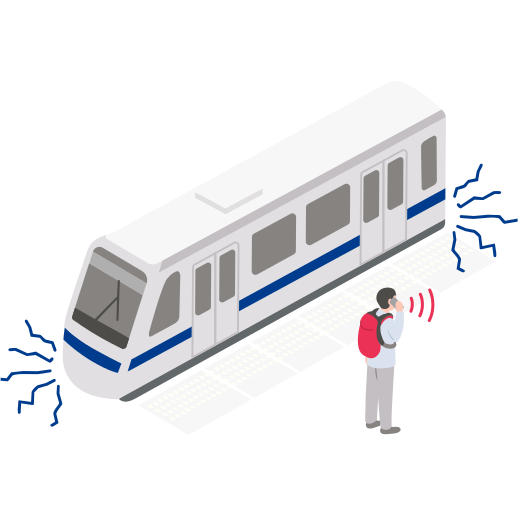
Trains passing, announcements, crowds, background music. On a call while out and about, noise the speaker barely notices sounds loud to the person on the other end. By removing noise from the outgoing audio on the device itself, regardless of carrier or app, you sound to the other party as if you were calling from a quiet room. When someone talking nearby bleeds into the call, speaker extraction can keep only your own voice.

  • Calling apps, business two-way radios, call center headsets
  • Pre-processing for speech recognition and meeting transcription (better recognition rate)
  • Speaker extraction that keeps only a registered speaker's voice (ailia Voice Filter)

Why it works here Calls tolerate only so much latency. With streaming processing in 10 ms frames, algorithmic latency is 40 ms for ailia Voice Filter and 30 ms for DeepFilterNet3. Since the ailia SDK runs the same model on iOS / Android / Windows / Linux, there's no need to build a separate version per device.

03

WEB calls & online meetings

Noise reduction that runs entirely in the browser,
with no plugin required

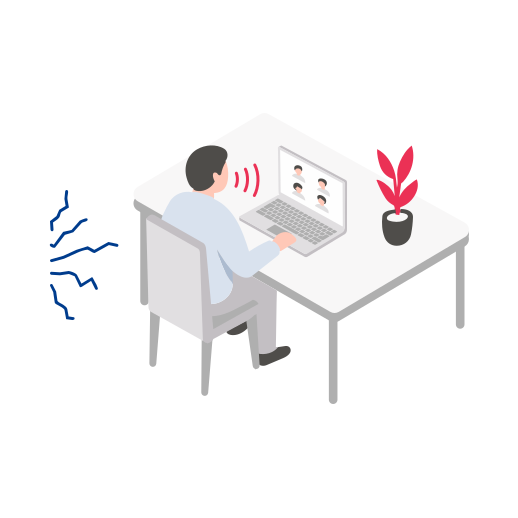
In a WEB meeting from home or a café, keyboard clatter, air conditioning, family members' voices, and café chatter all come through as-is. With ailia.js, the same model runs inside the browser as WebAssembly, so users never need to install an app or plugin, and there's no server-side cost for processing audio either. Add it to the audio path in WebRTC, and it drops straight into an existing WEB meeting or WEB sales/support service.

  • WEB meetings, WEB customer support, telehealth, remote support
  • No distribution or install needed, since it runs entirely in the browser
  • Better for both privacy and cost, since audio is never sent to a server

Why it works here The live demo on this very page runs exactly this way. Inference inside the browser is comfortably faster than real time on a single-threaded WebAssembly, and doesn't monopolize the CPU. Since it's the same model and the same API as the native app, quality verified in the browser carries straight over to the product.

04

Gaming & voice chat

Remove game audio and room noise,
and get your voice through to your team

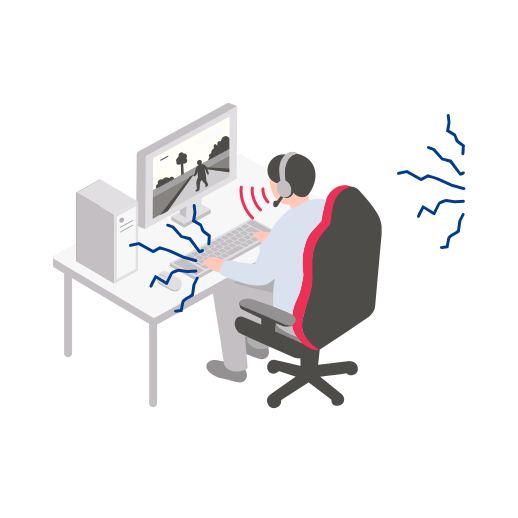
Voice chat picks up game audio leaking from speakers, the clatter of a controller or keyboard, and the voices of family in the same room. If your voice is hard to make out, it hurts both teamwork and the viewing experience for a stream. By removing noise from the outgoing audio inside the console or PC, and using speaker extraction to keep only your own voice, you can deliver the same voice quality regardless of your surroundings.

  • In-game voice chat, outgoing audio for streaming and commentary
  • VR / metaverse voice communication
  • Pre-processing for in-game voice command recognition

Why it works here In games, both the GPU and the CPU are busy with rendering and game logic. At roughly 2M parameters, the model runs on a fraction of a single CPU core and doesn't affect the game's frame rate. Latency of 30-40 ms keeps the rhythm of conversation intact.

Not just removing noise — choosing
whose voice to keep

A typical noise reduction model removes everything that isn't a human voice. The problem is, the person talking next to you is also a "human voice", so it stays. Our own ailia Voice Filter goes further, using a single model to also perform speaker extraction — keeping only a registered speaker's voice. Without registering a speaker, it acts as an ordinary noise reduction model that keeps everyone's voice, and even then performs about on par with the OSS model DeepFilterNet3. We also provide DeepFilterNet3 itself for comparison.

Removes noise, keeps only the voice

A deep-learning model removes environmental noise such as passing traffic, air conditioning, crowd noise, and keyboard clatter. On top of the traditional approach of suppressing the spectrum band by band, Deep Filtering (a filter across multiple frames of the complex spectrum) removes noise without breaking the voice's harmonic structure, which is why processed speech tends to sound less unnatural.

Keeps only the voice you want to deliver (speaker extraction)

Using a speaker feature vector (d-vector) extracted from a few seconds of audio as a condition, ailia Voice Filter keeps only the registered person's voice and treats everyone else's voice as noise, too. In an evaluation with two speakers plus noise, under conditions where a typical noise reduction model that can't choose a speaker makes things worse than the input, ailia Voice Filter was the only one to improve on the input (SI-SDR -3.74 → +0.99 dB). Without registering a speaker, it behaves as an ordinary noise reduction model that keeps everyone's voice.

Low-latency streaming processing

Processing runs frame-by-frame in 10 ms units, never waiting on future audio. Algorithmic latency is 40 ms for ailia Voice Filter and 30 ms for DeepFilterNet3. We've verified that streaming output matches batch processing, so it can be used as-is for real-time use cases like calls and voice chat.

Fully on-device — audio never leaves

Inference runs entirely on-device, with no need to send audio to the cloud. Calls and intercom conversations can contain sensitive information, but since the raw audio never has to leave the device, privacy is easy to explain, and there's no networking or server cost. Quality doesn't change even on an unstable connection.

The same model, in the browser or embedded

The ailia SDK runs on the same API across Windows / Linux / macOS / iOS / Android / embedded Linux, and even in the browser (ailia.js, WebAssembly). The live demo on this page runs right in the browser, and a configuration verified on PC can be deployed as-is to a smartphone app or a device. It runs in real time on CPU alone, and gets even lighter with a GPU or NPU.

One model that works for one voice or many

With one voice plus noise, ailia Voice Filter used without registering a speaker performs about on par with the OSS model DeepFilterNet3 (PESQ 3.050 vs. 3.237, SI-SDR 19.19 vs. 19.67 dB). With multiple voices plus noise, only the speaker-selective ailia Voice Filter is effective. We also provide DeepFilterNet3 through the same mechanism for comparison, so you can switch between them later, or use both together.

Two models, measured under each condition

We compared the same audio with the same metrics using public datasets. SI-SDR (SI-SNR) is the ratio of the target voice to noise and distortion (dB, higher is better), PESQ is speech quality (1-4.5, higher is better), and STOI is intelligibility (0-1, higher is better).

Our own

ailia Voice Filter

Recommended for both single and multiple speakers

Our own model, trained at 48 kHz starting from DeepFilterNet3's weights with speaker-vector conditioning added. A single model performs both speaker extraction — keeping only a registered speaker's voice — and ordinary noise reduction without registration.

Sample rate
48 kHz
Latency
40 ms
Parameters
2.27M
Speaker selection
Yes (256-dim d-vector)
Availability
ailia SDK-exclusive model

OSS

DeepFilterNet3

Comparison model for when speaker selection isn't needed

A widely used, low-latency OSS noise reduction model. It supports 48 kHz wideband audio and shows strong noise suppression and audio quality for a single voice plus noise. It cannot select a speaker. We export it as a streaming-ready graph so it runs on the ailia SDK / ailia.js.

Sample rate
48 kHz
Latency
30 ms
Parameters
2.14M
Speaker selection
No
License
MIT / Apache-2.0 (DeepFilterNet project)
Comparison on public datasets (measured by us, evaluated at 48 kHz). SI-SDR is in dB. Higher is better throughout.
Model Condition SI-SDR PESQ STOI Speaker selection
ailia Voice Filter (ours) 1 speaker + noise (no speaker registered) 19.19 3.050 0.942 Yes
1 speaker + noise (speaker registered) 17.55 2.917 0.939
2 speakers + noise (speaker registered) +0.99 1.284 0.674
DeepFilterNet3 (OSS) 1 speaker + noise 19.67 3.237 0.944 No
2 speakers + noise −5.13 1.163 0.544
RNNoise (OSS) 1 speaker + noise 11.07 2.292 0.902 No
2 speakers + noise −4.93 1.124 0.536
Input (unprocessed) 1 speaker + noise 8.47 2.173 0.919 —
2 speakers + noise −3.74 1.088 0.622

Single-speaker noise (one speaker + ambient noise)

Use ailia Voice Filter without speaker registration

In the mode that keeps everyone's voice without registering a speaker: SI-SDR 19.19 dB, PESQ 3.050. The gap with DeepFilterNet3 (19.67 dB, 3.237) is 0.48 dB in SI-SDR and 0.187 in PESQ. Since there's only one voice in the audio, specifying a speaker adds no information, so if you only want to remove ambient noise, using it without speaker registration gives the better result.

Multi-speaker noise (other people talking nearby)

Use ailia Voice Filter with speaker registration

With 2 speakers plus noise, a model that can't select a speaker keeps the other person's voice while damaging the target voice, making things worse than the input (SI-SDR -3.74 → -5.13 dB). Only ailia Voice Filter with a registered speaker improved on the input (+0.99 dB, a 6.12 dB gap). Swapping in a different registered speaker drops it to -13.89 dB, showing that the specified speaker really is the one being selected.

Single speaker + noise was measured on 200 utterances from the VoiceBank-DEMAND test set; two speakers + noise on 200 two-speaker mixtures from LibriSpeech dev-clean with DEMAND noise added. Real-world performance depends on the microphone, the type of noise, and speaker distance. We're also happy to run an individual evaluation on a recording from your own target environment.

Technical specification

Processing pipeline

  1. Framing & STFTSequential processing with a 10 ms hop. Keeps lookahead into future samples to a minimum
  2. ERB-band feature extractionEstimates the noise state across 32 perceptually-spaced bands
  3. Speaker-vector conditioningailia Voice Filter only. Adds the registered voice's d-vector
  4. Deep FilteringShapes the complex spectrum across multiple frames
  5. Inverse STFT & overlap-addOutputs one hop's worth of waveform

Models

ailia Voice Filter
48 kHz, 2.27M parameters, 40 ms latency. Speaker selection available
DeepFilterNet3
48 kHz, 2.14M parameters, 30 ms latency. No speaker selection
Speaker registration
Computes a d-vector (256-dim) from a few seconds of audio containing only that person
Input
Mono audio (microphone / file / audio stream)
Format
ONNX for ailia SDK only

Runtime environment

OS
Windows / Linux / macOS / iOS / Android / embedded Linux
Browser
ailia.js (WebAssembly)
Compute
Real-time on CPU alone. GPU / NPU acceleration also supported
Languages
C++ / C# / Python / JavaScript / Java / Rust, and more

See the ailia SDK page for full details on supported environments.

Try it first with your own voice and environment

The browser demo runs on the spot, no sign-up required. We're also happy to discuss accuracy evaluation using a recording from your own environment, integration into an existing calling app or device, and verifying operation on an embedded processor, on a case-by-case basis.